EMTCloudSole Engineer & Architect2026 · solo
نظام إدارة المؤسسات
A multi-tenant inventory system for trading companies: automated stock tracking, vouchers and reporting behind a bilingual Arabic/English RTL dashboard.
Stack: ASP.NET Core 9, EF Core, SQL Server 2022, Next.js 16, React 19, TypeScript, Tailwind CSS, Arabic RTL / i18n
Stock that lives in scattered spreadsheets
The problem
Small and mid-size trading companies in the region mostly run their inventory on scattered Excel files: no permissions, no movement history, and no way to print an official, consistent document. The big off-the-shelf systems are expensive and complex, and their Arabic interfaces are usually a cosmetic translation laid over an English design.
EMTCloud had to sit between the two: a complete system for stock, vouchers and reports that is light to operate, Arabic from the first line of code, and fast enough at data entry that a clerk never opens a window all day.
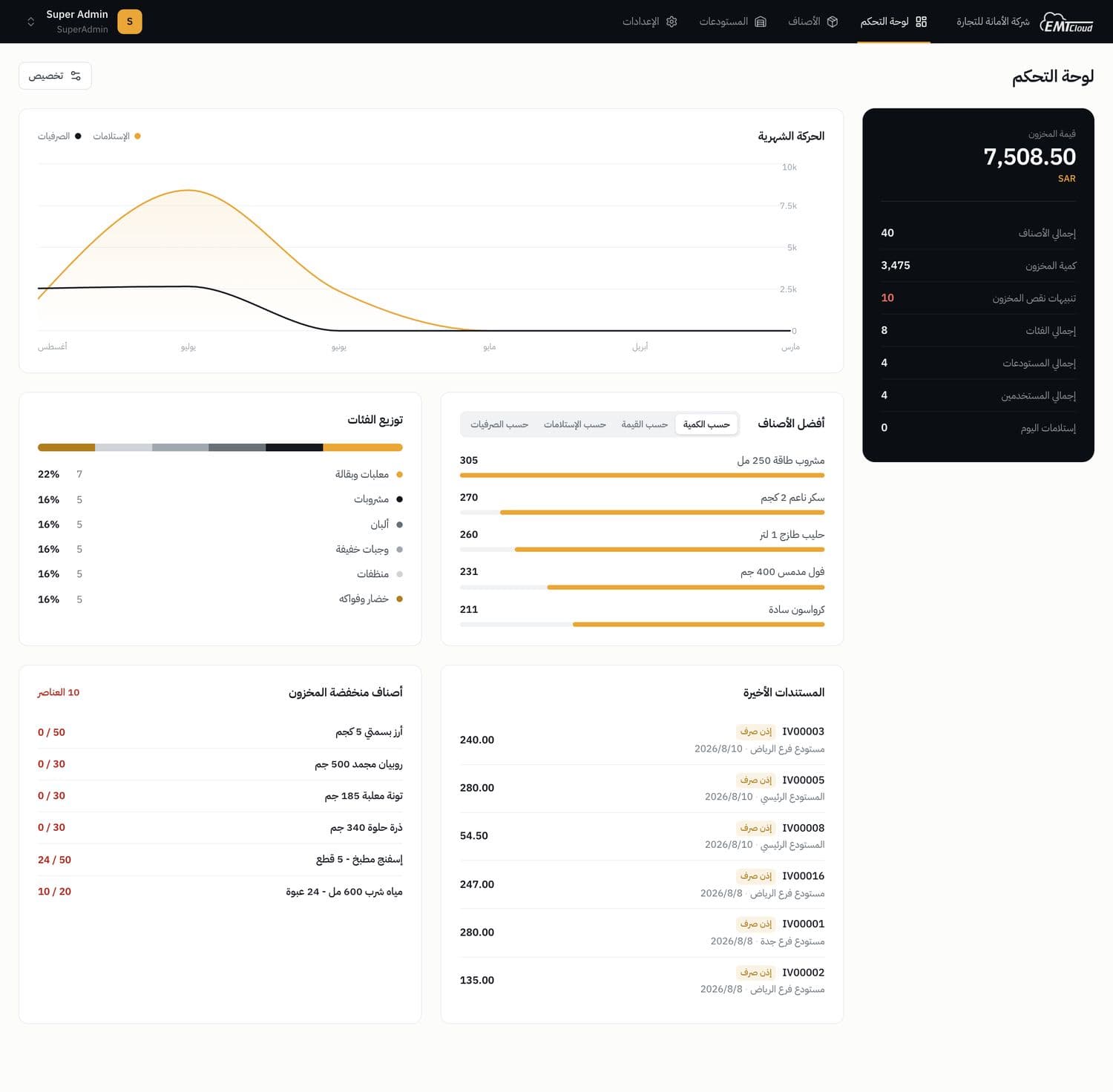
Three decisions that shaped the product
What I chose, what I chose it over, and what it cost
Every data screen is one editable grid. Arabic RTL is the source layout and English is its mirror. The client designs its own report templates.
Every data screen is the same editable grid
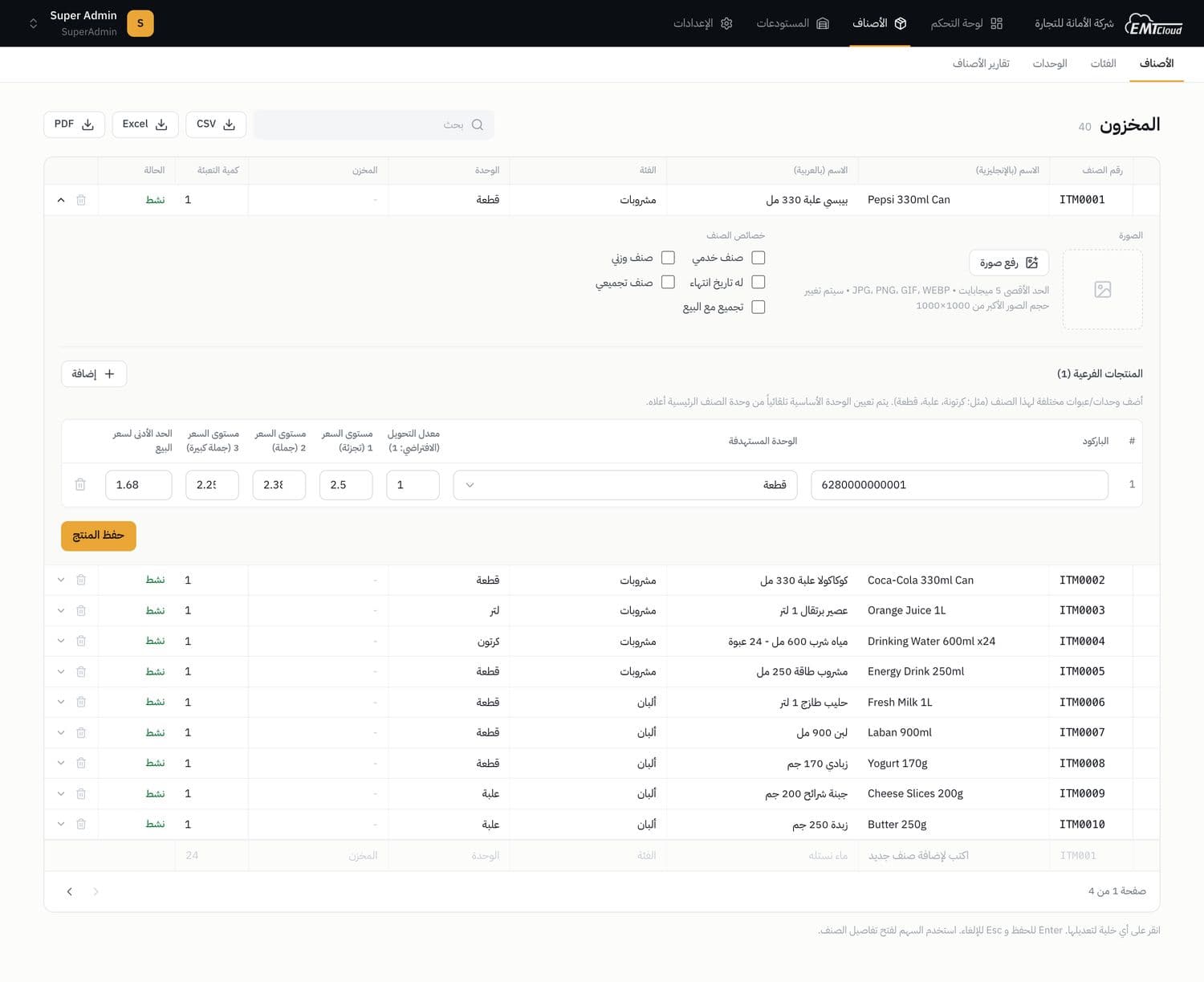
| Chose | One interaction grammar, defined once in a shared descriptor layer and inherited by every data screen. Click a cell and it becomes the input, Enter saves, Esc cancels. New records are typed into a bottom entry row, and delete turns the row itself into a red confirm bar. A save updates the row locally instead of reloading, so data entry keeps a spreadsheet rhythm. |
|---|---|
| Over | The usual list page with a separate form or popup window for each record, designed screen by screen. |
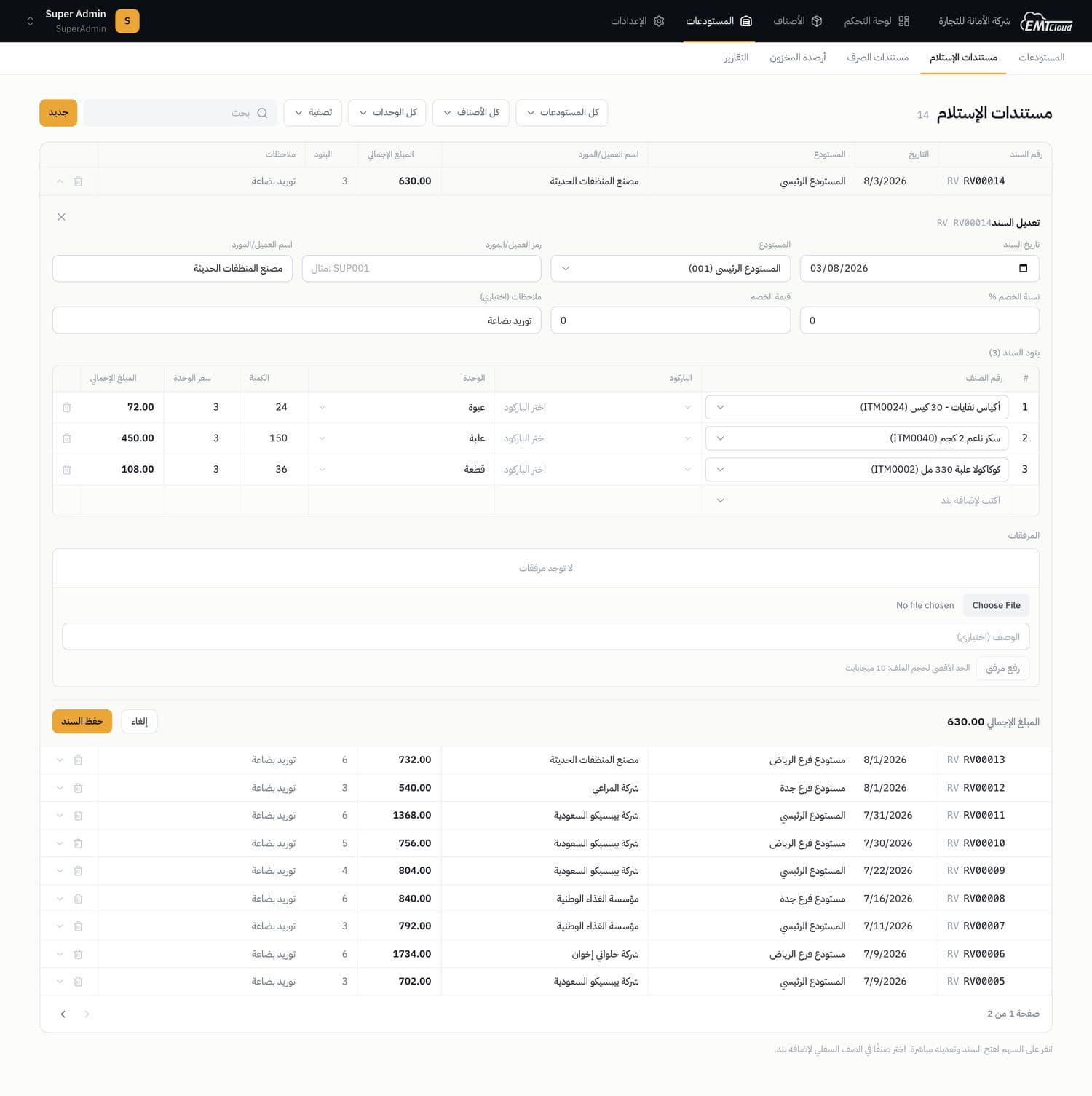
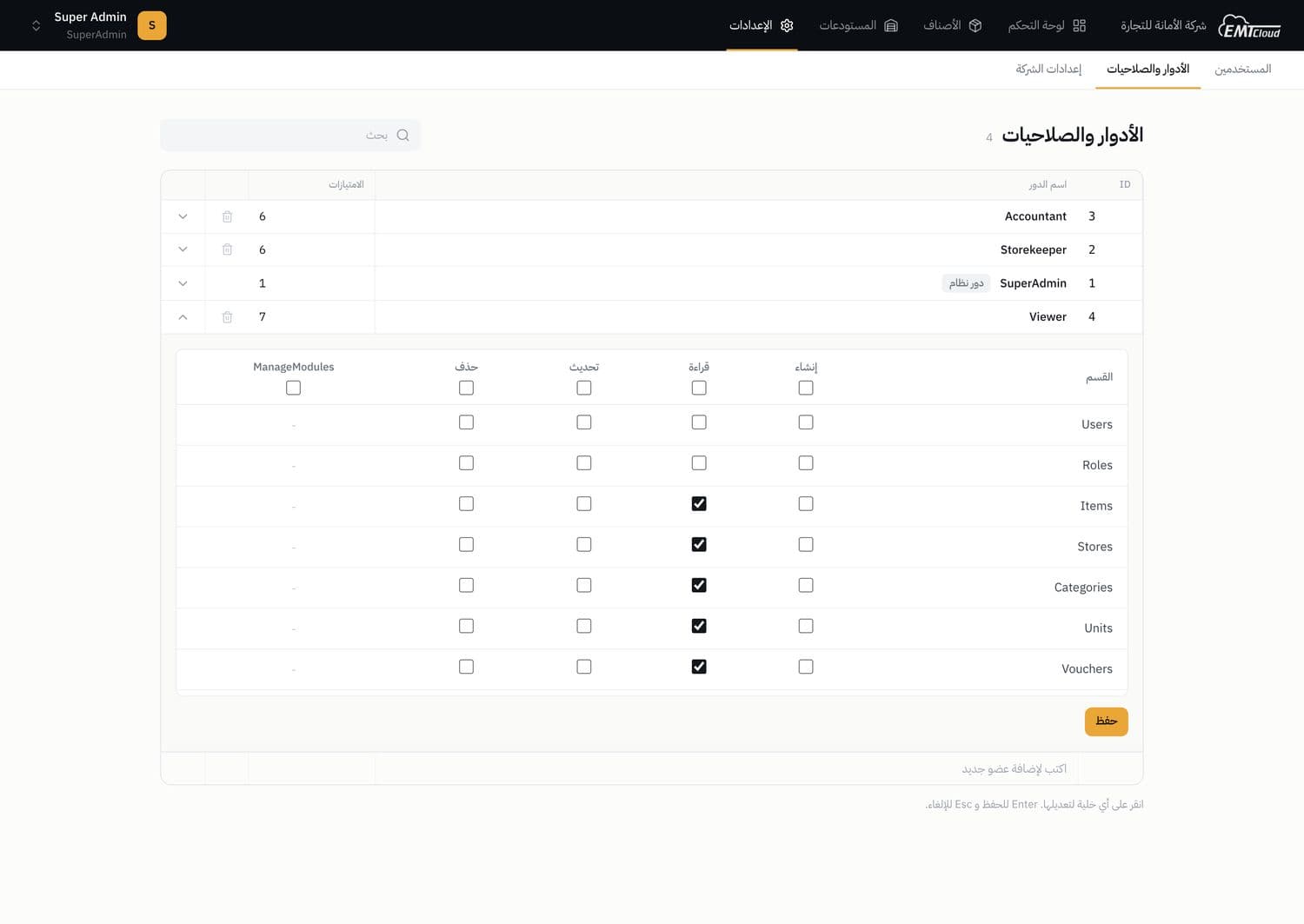
| Cost | An editable grid is not one pattern but many: cell editing, in-cell menus, the entry row and armed deletes all had to work on every screen. Records too rich for a row (voucher lines, a permission matrix, a password reset) needed one more pattern, a row that expands in place, because the grammar leaves no room for a window. |
Arabic RTL is the source layout, English is the mirror
| Chose | The layout is written only in logical CSS properties (start and end, never left and right), so switching the locale flips the whole interface. IDs, numbers, dates and emails sit in left-to-right isolates inside the Arabic text. Items, categories, units and warehouses each store an Arabic and an English name, so documents print correctly in either language. |
|---|---|
| Over | An English design with an Arabic translation laid over it, with left and right hand-written per direction. |
| Cost | Physical left and right utilities are off the table everywhere, and stray Latin glyphs need a guard layer in the global stylesheet. Every screen has to isolate its own numbers and IDs, and every master record carries two name columns to enter and maintain. |
The client designs its own report and voucher templates
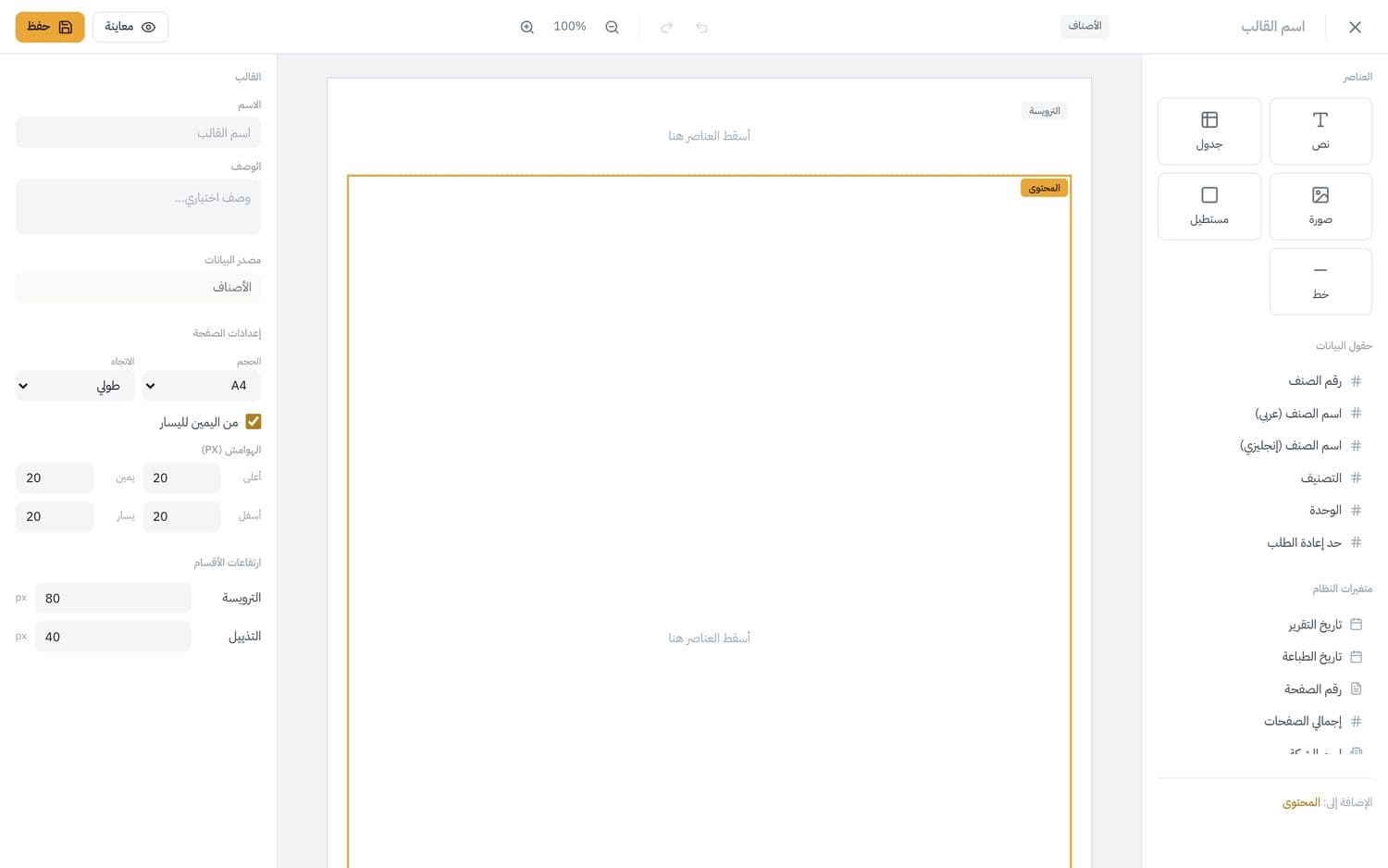
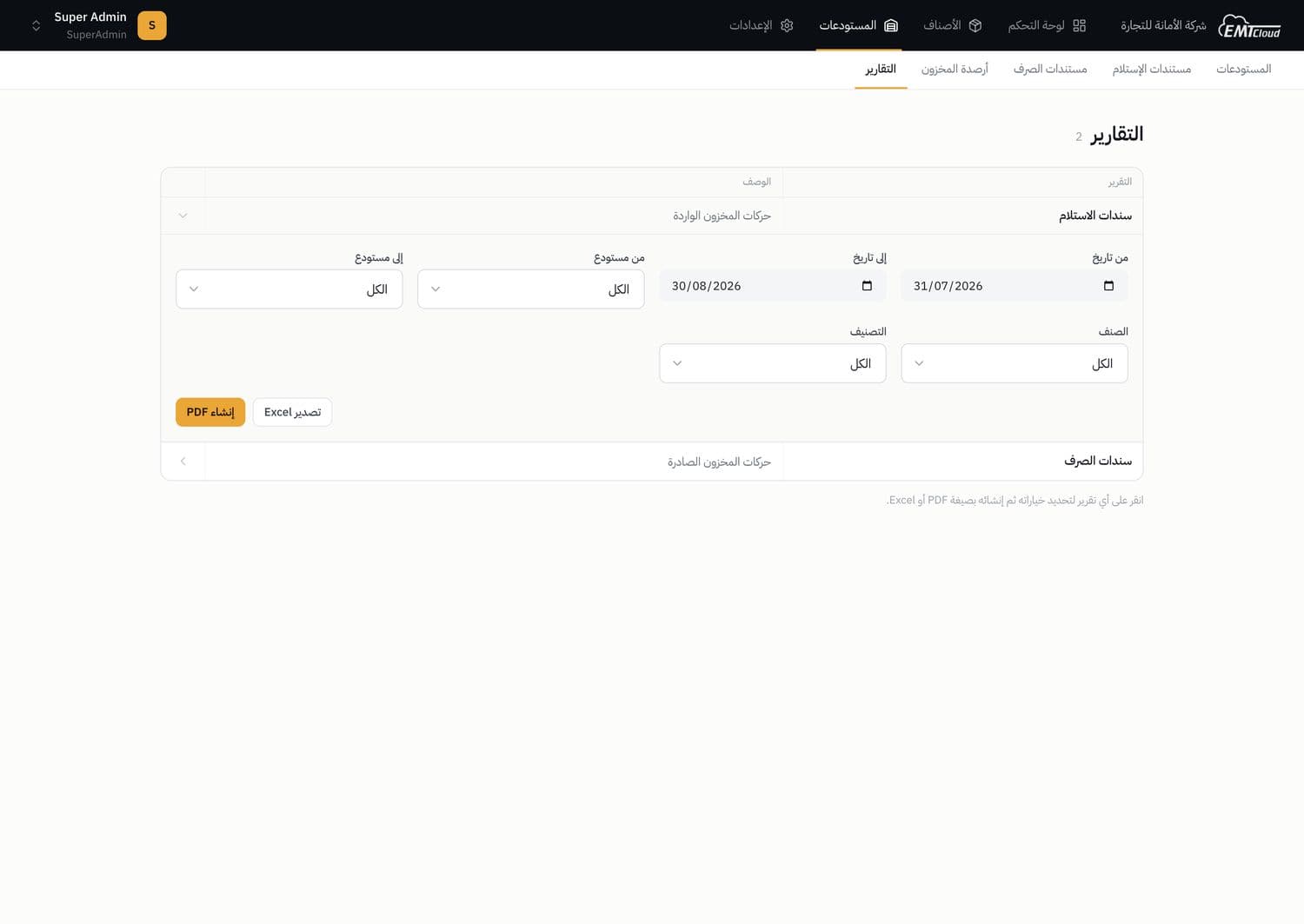
| Chose | A drag-and-drop designer with a toolbox, an A4 canvas split into header, content and footer, and a properties panel. Each template is stored as JSON against a report type, and the server renders PDF, Excel and Word from that same JSON, including live data fields and system variables such as date and page number. |
|---|---|
| Over | Fixed print templates in code, which mean a code change every time the client wants its paperwork to look different. |
| Cost | It is a second product inside the product: a designer to build and maintain, and a server-side generator that has to interpret one template for three output formats. |
One grid grammar, learned once
The first decision, on screen
The same categories screen in its four states, captured live. Whatever does not fit in a cell opens under the row, so the screen never navigates away.
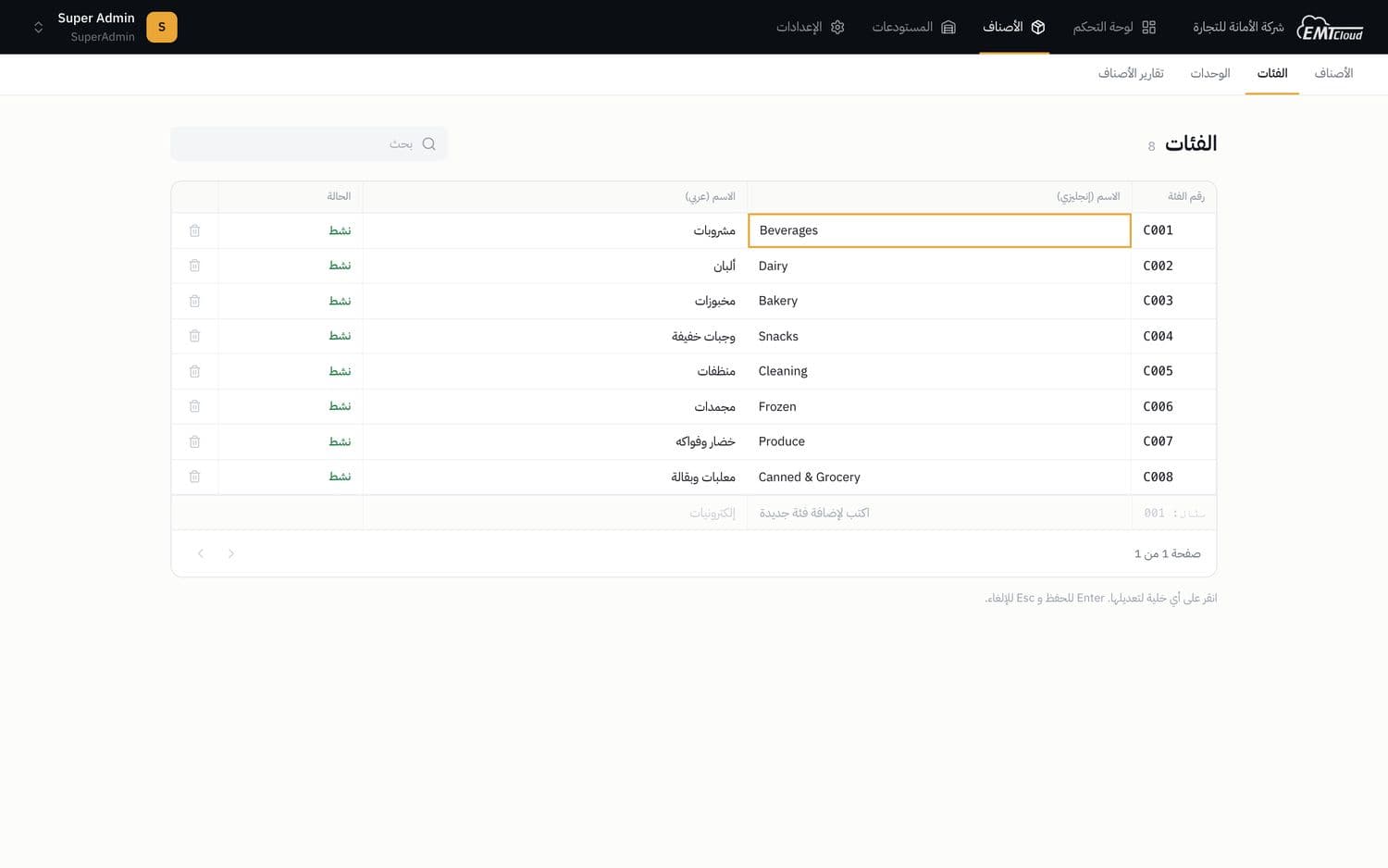
1. Click a cell and it becomes the input 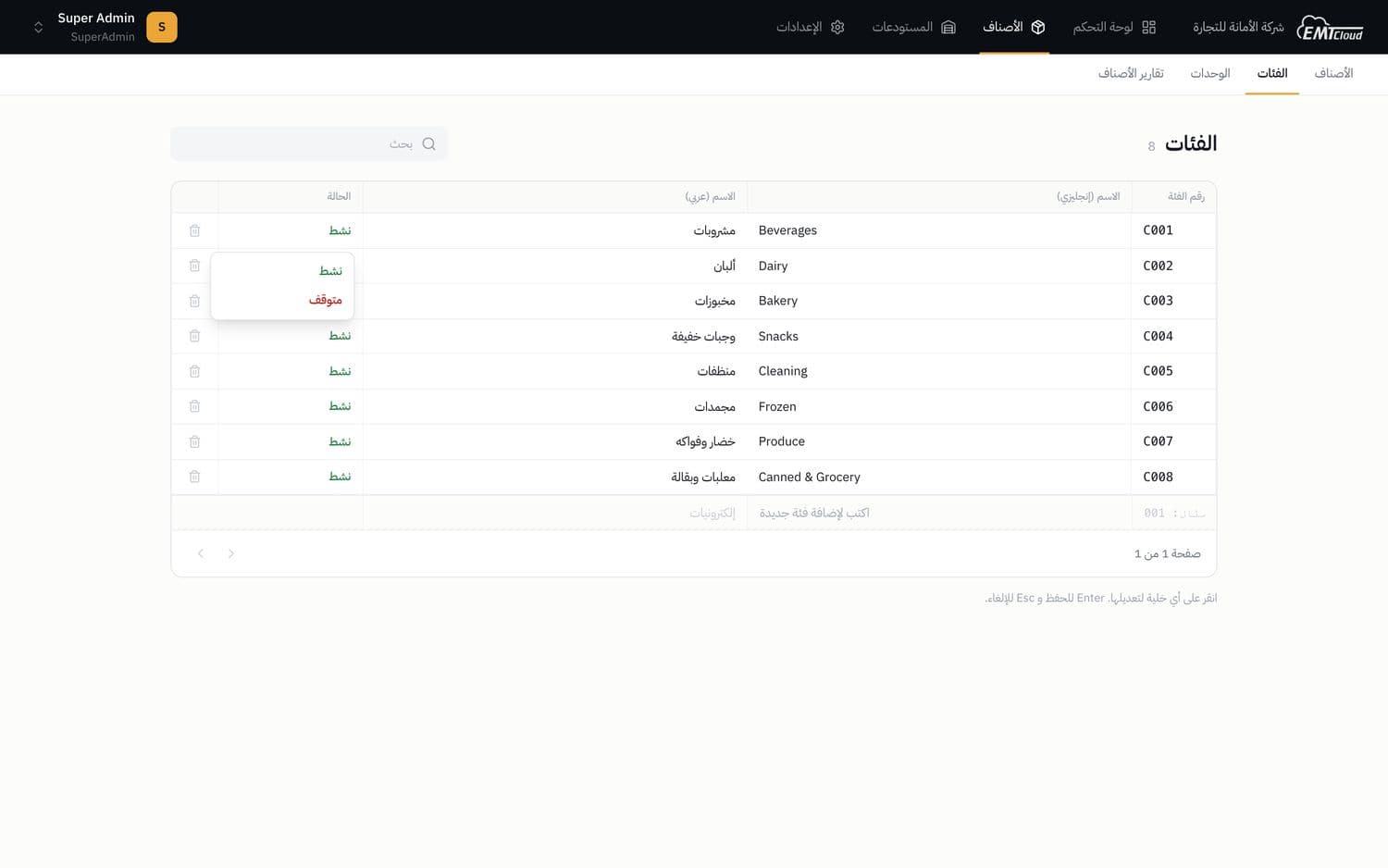
2. Status changes from a menu inside the cell 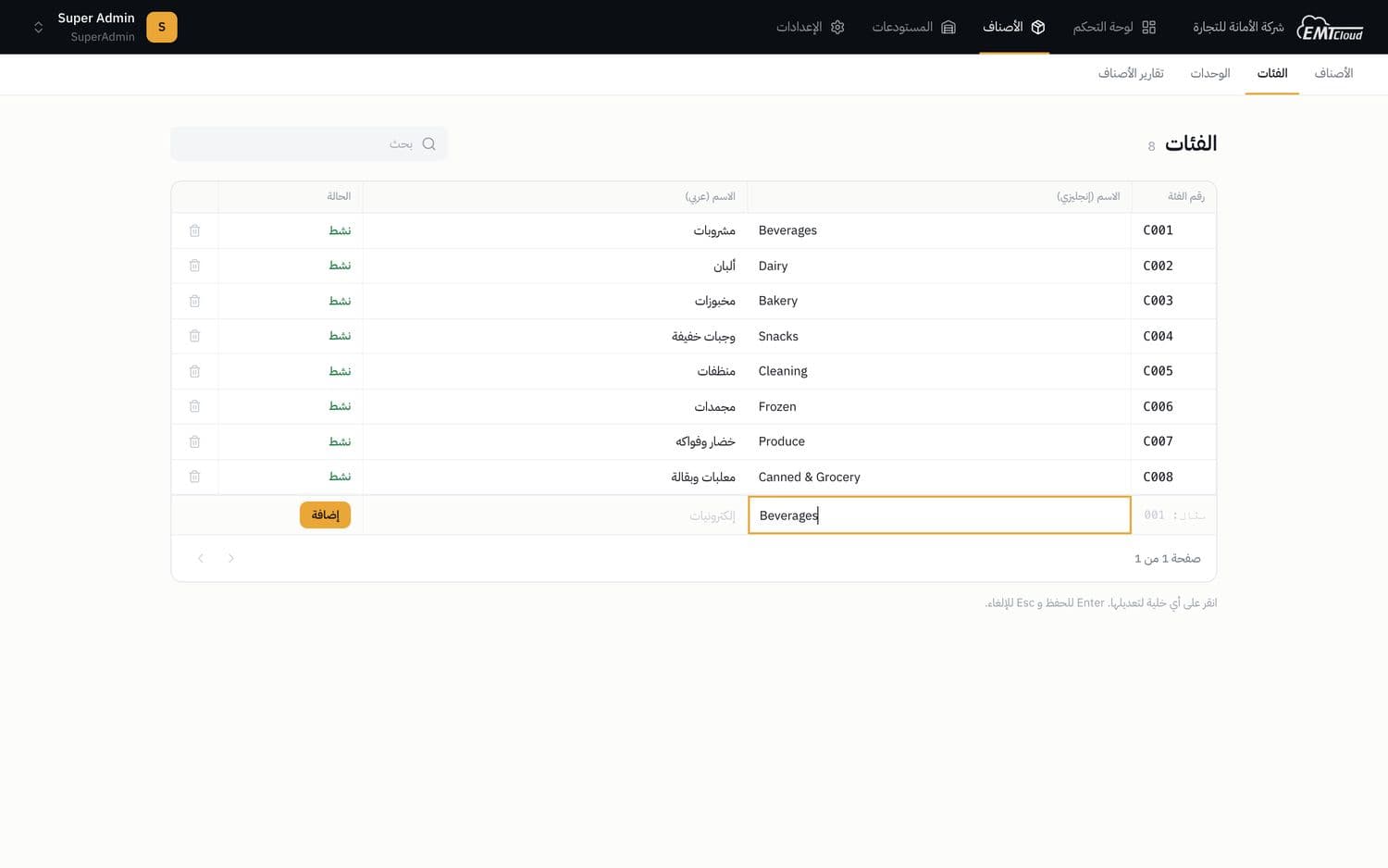
3. New records are typed into the bottom row 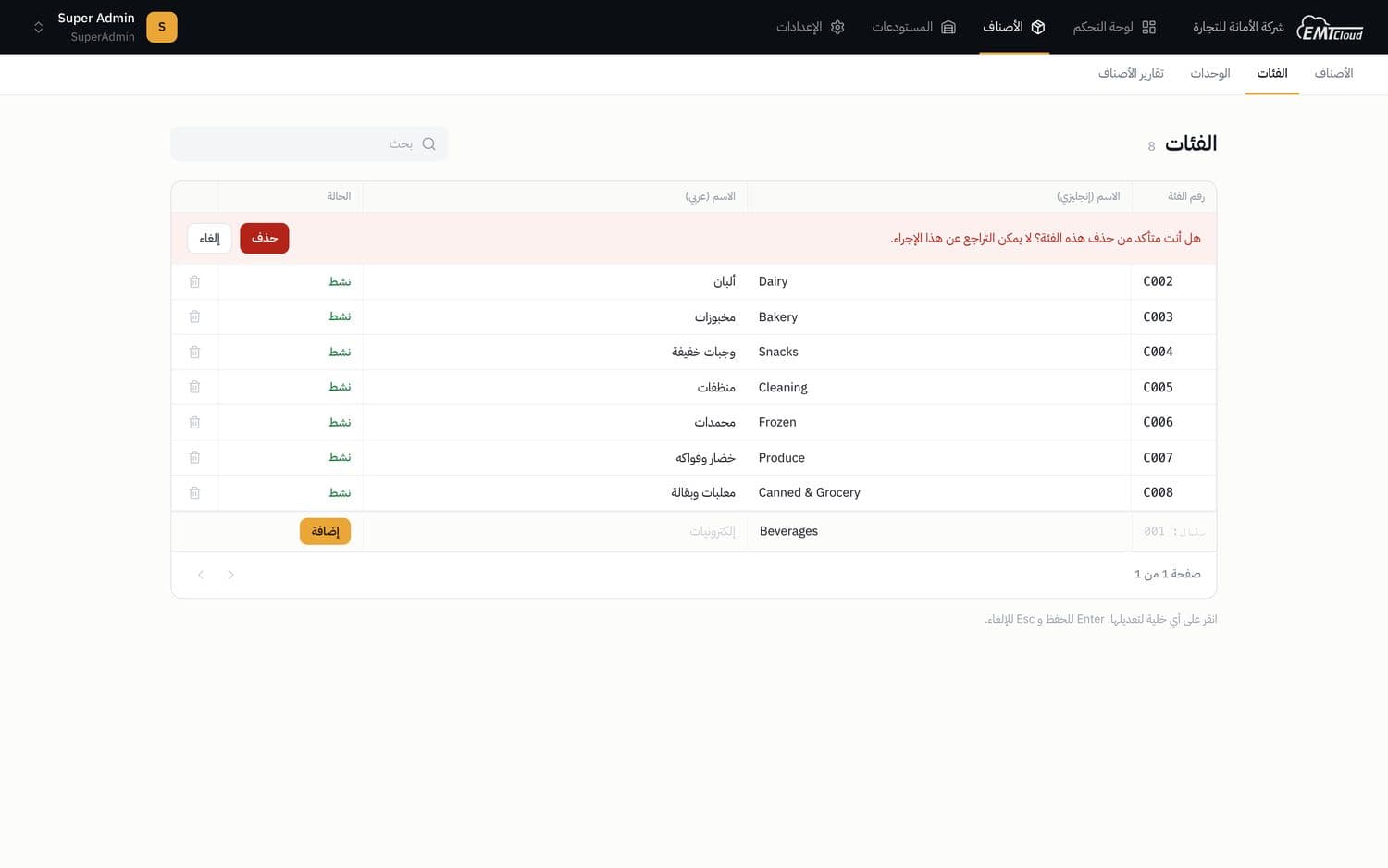
4. Delete turns the row into a confirm bar
Scaled the client’s sales operations 90%
The result
EMTCloud is in production as a multi-tenant system. Each company’s data is isolated by EF Core global query filters in the data layer, and the role’s privilege is checked at every endpoint before the database is touched.
It showed that one interaction grammar can carry a whole stock operation, from a two-field lookup to a twenty-line voucher, with no popup window in any data screen. It also showed that an interface designed in Arabic first mirrors into English completely, and that the client can change how its paperwork looks without a code change.
Screens
Appendix
Real captures of the running system with live data, in the Arabic RTL interface.
Items, stock and vouchers
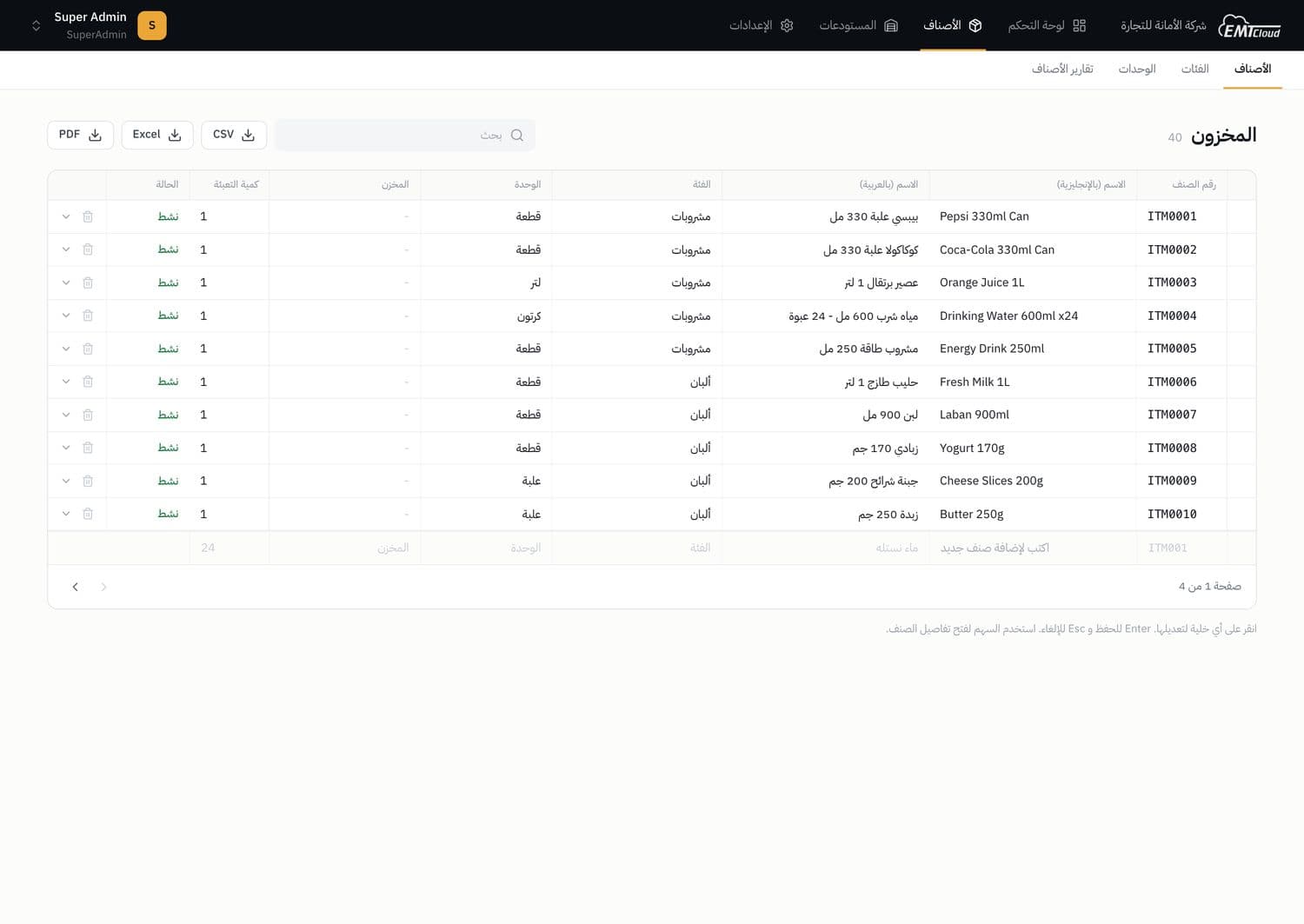
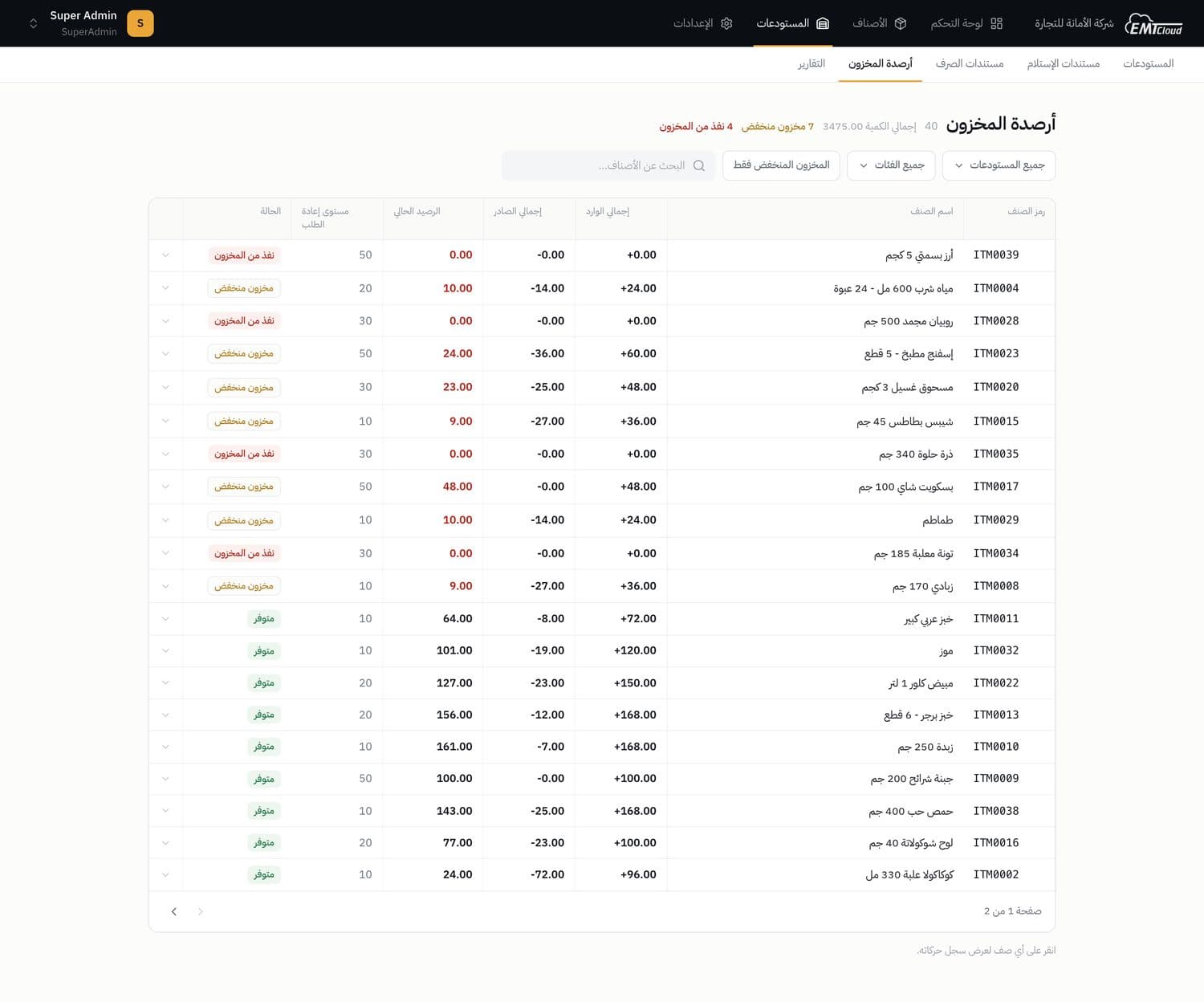
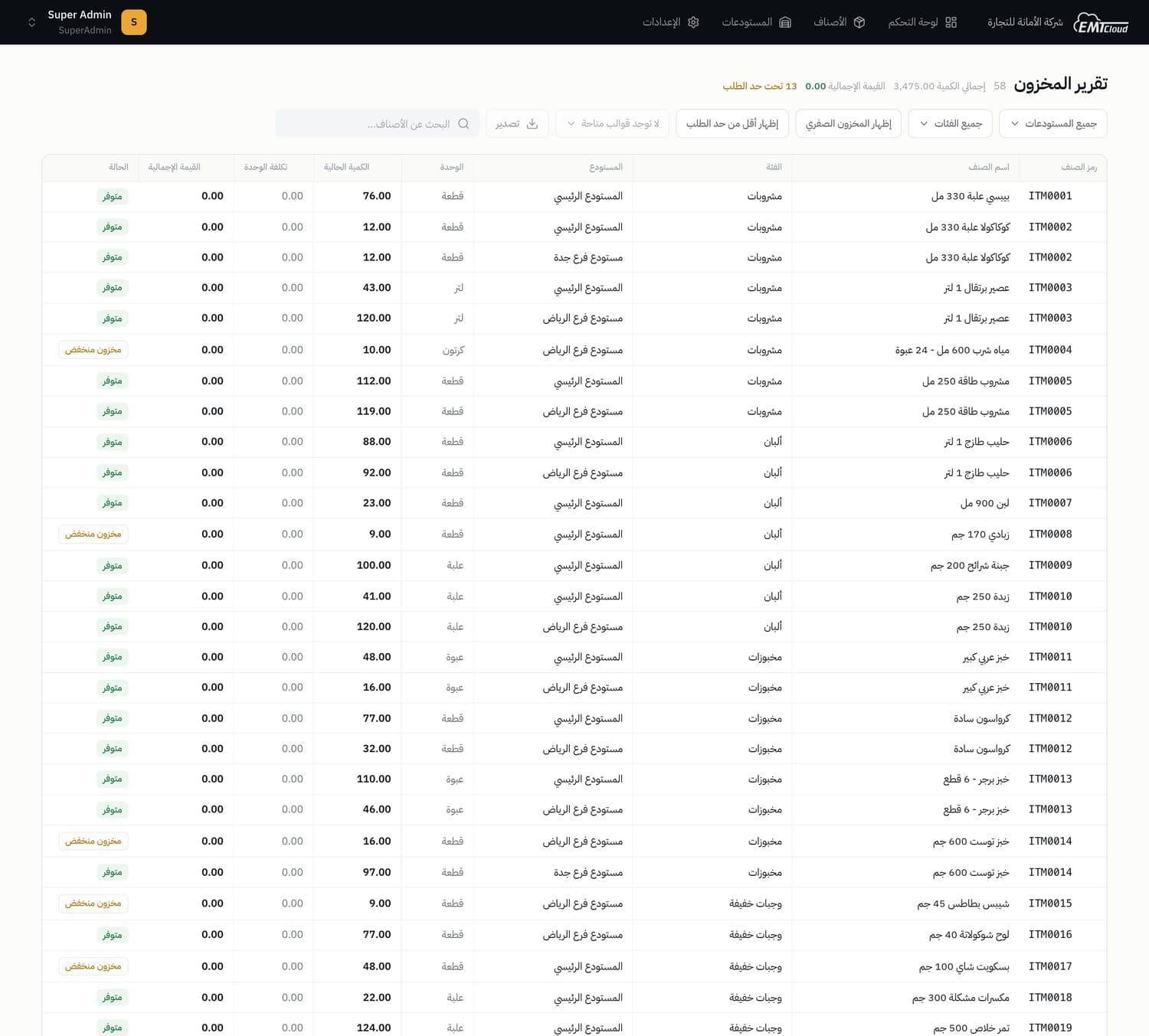
The item master, live balances with reorder limits, and receipt and issue vouchers whose lines are edited as a sub-grid.
Reports, templates and access
Parameterised reports printed on client-designed templates, and the role matrix that decides what each user sees and can do.
By the numbers
Counted from the code at delivery, not estimated
| Measure | Count |
|---|---|
| API endpoints | 110 |
| Production screens | 17 |
| Translation keys per language | 1,234 |
| Lines of code | 131k |
Notes
How each figure on this page is defined
- 1Arabic and English. Arabic RTL is the source layout and English is its mirror: switching the locale flips the whole interface.
- 2In the data screens. A record too rich for a row (voucher lines, a permission matrix, a password reset) expands in place under its row instead of opening a window.